


How to optimise your Google Business Profile: location and ranking
Learn how to optimise your Google Business Profile, with a clear look at how location, your map pin and service areas affect where you show up.
BLOG
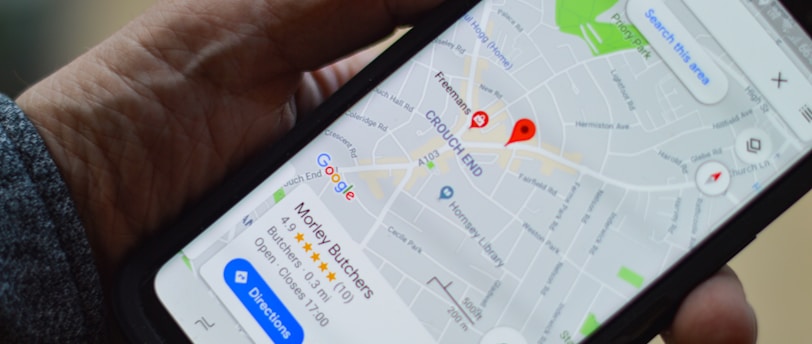

Two businesses can have equally good Google Business Profiles and still show up very differently, because where the person searching is standing changes who Google shows first.
It starts with how Google decides who to show, then covers your address, your map pin and your service area, shows you how to check what people see from different places, and finishes with the profile fixes that make the biggest difference. If you’d like a second pair of eyes on one profile, my free Google Business Profile mini-audit is there for that.
1. Start with how Google decides who to show
Google says local results are based mainly on relevance, distance and prominence, and that there is no way to request or pay for a better local ranking. Relevance is how well your profile matches what someone is searching for, prominence is how well known your business is, which depends partly on links and reviews, and distance is how far you are from the searcher.
That last factor is the one most owners overlook. Distance is measured from the person searching and not from your office, so if they haven’t shared their location, Google uses what it already knows about where they are. It follows that there is no single ranking for your business: the position you see from your desk is one result out of many, and it’s usually the flattering one.
2. What “location” means for your profile
When people talk about geo-location in local search, they usually mean four different things, and it helps to separate them because each one has a different fix:
Where Google thinks your business is: your address and the pin on the map;
Where the searcher is: this changes with every search and you can’t control it;
Where you say you work: your service area, if you travel to customers (see section 4);
Where the rest of the web says you are: your website, directories and other listings, which should agree with your profile.
You can only change the first, the third and the fourth, so the aim is to make sure Google has accurate information about those, and then to improve the signals that help you beyond your immediate neighbourhood.
3. Check your address and your map pin
Start by looking at your profile as a customer would. Google’s guidelines ask for a precise, accurate address for a real location, and they don’t accept P.O. boxes or mailboxes at remote locations. A virtual office isn’t eligible, and a co-working space only qualifies if it has clear signage, receives customers during business hours and is staffed by your own team during those hours. If you need a suite or mailbox number, the physical address goes in the first address line and the number in the second, and the address lines can’t contain keywords or web addresses.
Then check the pin itself. Google explains how to edit your business location and adjust the pin: go to Edit profile, then Location, select Edit next to Business location, choose Adjust and move the map so the pin sits on your business. Changes usually show within about 10 minutes but can take up to 30 days, so make one change at a time and note the date.
It’s worth knowing that a pin in the wrong place may matter more than it looks. One Search Engine Land article argues that Google can place a business on a generic or inaccurate point even when the written address is right, and that this can affect where the business ranks. That is one practitioner’s analysis and I haven’t seen Google document it, so treat it as a reason to check your pin, not as a proven cause of weak rankings. Google’s help page doesn’t say whether changing your address triggers a new verification, so after any edit check that your profile status still shows as verified.
4. Storefront or service area: set it up correctly
If customers visit you, your address should be visible. If you travel to them, Google asks service-area businesses to hide their address: its example is a plumber working from a home address, who should remove it from the profile. In the Location settings you do this by turning off “Show business address to customers”, after which the profile shows only your service area.
Your service area needs a little care. Google’s service area guidance allows up to 20 areas, named by city, postcode or similar and not as a radius, and Google advises keeping the overall area within about two hours’ driving time of where you’re based. If you set the area up with a radius in the past, you can’t edit it and need to switch to named areas, and edits can take up to 48 hours to appear. Listing a long run of towns does not make you visible in all of them, and practitioners generally report that Google still measures distance from your base, so treat the service area as a statement of where you work and not as a ranking lever.
If you’re a hybrid business, such as a shop that also visits customers, Google allows a storefront address together with a service area, provided the storefront is staffed and can receive customers during your stated hours.
5. See how your ranking changes from place to place
Once your address, pin and service area are right, you can look at how your visibility changes across the map. The usual method is a geogrid scan: a rank-tracking tool places a grid of points over your area, runs the same search as if from each point, and colours each point by your position, so you can see where you appear in the top three and where you disappear. Tools like this are third-party products, not part of Google, and their results are simulations of a search from each point and not what every real person sees.
Here’s a hypothetical example. Suppose a physiotherapy clinic scans “physiotherapist” over a 5 by 5 grid and appears in the top three at 9 of the 25 points, all within a short walk of its address, while three competitors dominate the points to the north. That tells you the clinic is strong where it is closest and weaker where competitors sit nearer to the searcher, which is useful because the fix for the north is different from the fix for the south.
You don’t need a paid tool to start. Search for your main service from a few different places, ideally on a phone, a few streets apart and then in the next town, and write down your position each time. Checking from your own office tells you the least, because it’s the point where you’re closest to yourself. Inside your profile, Google’s performance report shows the search terms people used to find you and how many viewed your profile on Search and Maps, for verified profiles only, and the searches figure updates at the start of each month and can take up to five days to appear.
6. Improve what you can control
Proximity can’t be changed, because you can’t move your business closer to every customer, and practitioner surveys such as Whitespark’s report it as the largest single factor in local pack results. What you can do is strengthen the other two parts of Google’s formula, so that a customer further away still has a reason to see you first:
Reviews and replies: Google lists reviews and ratings as part of prominence, so keep asking customers in line with Google’s rules and reply to what they write;
Website location pages: a page for each place you really serve, with unique content about that area and not a copy with the town name changed, linked from your profile and your main pages;
Consistent details: the same name, address and phone number on your website and in the main directories you use, so no source disagrees with your profile;
Links and mentions from local sources: local organisations, suppliers and press that link to your website add to how well known you are;
Evidence of where you work: photos, services and descriptions that mention the real areas and jobs you cover, written for customers and not for a keyword list.
Expect this to take time and to help most in the places that are already close to your reach. If a scan shows you’re invisible a long way from your base, the honest conclusion may be that those areas are better served by a different profile at a real location, and not by adding more towns to your service area.
7. Then work through the rest of the profile
Location is only one part of the profile, so once it’s right, check the basics. Google says your primary category affects your local ranking, so choose the most specific option that describes your business, for example “Nail salon” and not “Salon”, and add only a few additional categories for services you really offer, as explained in Google’s category guidance. Google also advises verifying your profile, keeping your address, hours and attributes up to date, adding photos and videos, and responding to reviews.
Go through the services and description next, since this is the text that tells Google and your customers what you do. Describe your services plainly, include the areas you cover where it’s true, and avoid stuffing the name or description with keywords, because the name should be the one customers know you by.
8. Decide what to fix first
If you only have an hour, work in this order:
Check that the profile is verified and that the address and pin are accurate;
Decide whether you’re a storefront, a service-area or a hybrid business, and set the address and service area to match;
Confirm the primary category and remove any additional categories you don’t need;
Check the same details on your website and in your main directory listings;
Look at your search positions from three or four different places and write them down;
Plan a steady routine for reviews, replies and photos, and review the results after a month.
Make one change at a time where you can, and note the date, because that’s the only way to know which change moved the result. Changes to a profile can take time to show, so judge them over weeks and not days.
When an independent look would help
You can use this guide to work through your own profile. If you’d like a second opinion on what’s holding it back, or you’re unsure whether your address, service area or category is set up the right way, I can review it for you.
I’m Alessia, founder of The Creative Shak, and I help small businesses with Google Business Profile and local SEO support, and I offer a free mini-audit for one existing profile, which is a good place to start.
The Creative Shak
Performance marketing consultancy led by Alessia.
CONTACT
info@thecreativeshak.co.uk
+44 7752 981930
Book a free call
Unit 2, 465c Hornsey Road
London N19 4DR
United Kingdom
© 2026 The Creative Shak · Privacy policy